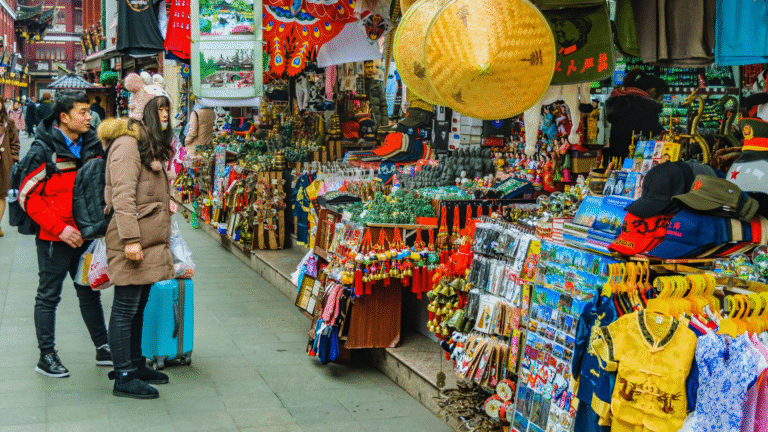

Organizing travel photos after a trip can often feel overwhelming, but with a clear plan, it becomes manageable. Creating a structured system for sorting and categorizing images can enhance both the viewing experience and the ability to share memories. By taking the time to arrange photos effectively, one can easily relive adventures and share stories with others.
To start, using folders based on locations or dates can help in keeping photographs in order. Utilizing specific naming conventions also aids in the quick identification of images. Tools and software designed for photo management can provide additional support, making the process smoother and more efficient.
Reviewing photos shortly after returning home can prevent the burden of an overwhelming backlog. Establishing routines for editing and organizing photos ensures that precious memories are preserved without stress. With the right approach, anyone can enjoy their travel photos long after the trip has ended.
Initial Curation of Your Travel Photos
Organizing travel photos is a crucial step after any trip. The first stage involves efficiently handling imports, making selections, and ensuring the safety of original files.
Importing Photos from Cameras and Devices
Transferring photos from cameras and devices is the first step in the curation process. Use quality USB cables or card readers to import digital photos from a DSLR camera or smartphones.
Select a designated folder on your computer or cloud storage for easy access. Rename files based on the trip or location to maintain organization.
Functions in photo management software can expedite the import process, allowing users to select which images to transfer.
After importing, ensure that all images are visible and accessible. This is crucial for the subsequent steps.
Selecting and Deleting Unwanted Images
Once photos have been imported, it is time to review the collection. Begin by quickly scanning through the images.
Using a process similar to Marie Kondo’s method, she believes in keeping only those images that spark joy. This makes selecting photos easier, eliminating duplicates and poor-quality shots.
A good strategy is to create temporary folders: one for potential keepers, another for candidates to delete.
Photos that are blurry, poorly lit, or lack compositional value can be discarded. This simplifies the collection significantly and enhances the storytelling aspect of the travel album.
Choosing Photos That Spark Joy
This step emphasizes personal connection to travel photos. The essence of selecting images lies in identifying those that evoke fond memories or strong emotions.
Images featuring unique experiences, favorite landscapes, or loved ones can add great value to the collection.
Users might consider creating a “favorite” folder where only those meaningful images reside.
Additionally, prioritizing diversity in the chosen images helps to tell a more complete story. Each photograph should contribute to the narrative of the trip, whether through scenic views or cultural moments.
Protecting and Backing Up Originals
Ensuring the safety of original photos cannot be overlooked. Utilize cloud storage solutions or external hard drives for reliable backup of original files.
Regular backups are vital to prevent data loss from accidental deletions or device failures.
Setting up automatic backups can help in preserving these memories without additional effort.
Implementing a system for organizing backups will make retrieval simpler in the future. Tagging images or including metadata can enhance discoverability, enabling easy access to treasured moments.
Systematic Organization Techniques
Organizing travel photos systematically can enhance accessibility and make the collection more enjoyable. This involves implementing structured folder systems, utilizing tagging methods, and leveraging advanced photo management tools.
Folder Structures by Trip, Date, or Location
Creating a folder structure is essential for maintaining organized digital photo storage. Photographers can categorize images by trip, date, or location.
- Trip-Based Structure: Each trip gets its folder, labeled with the destination and date. Inside, subfolders can separate different events or locations visited.
- Date-Based Structure: Alternatively, folders can be organized by year and month, making it easy to track when photos were taken.
- Location-Based Structure: This method allows grouping images based on specific locations, beneficial for frequent travelers.
Using consistent naming conventions makes retrieval straightforward.
Tagging and Rating for Smart Searches
Tagging and rating photos facilitate quick searches within a large collection.
- Tags: Descriptive keywords assigned to photos help categorize them. Tags can include themes like “beach,” “hiking,” or “family.” This method allows users to find relevant images without remembering exact details.
- Rating: Implement a star rating system to highlight favorite photos. A few stars could indicate the best images from the trip, simplifying the selection process for albums or sharing.
Both tagging and rating are beneficial in platforms like Google Photos, integrating with its search capabilities effectively.
Using Photo Management Software
Photo management software simplifies the organization and storage process.
- Options: Tools like Adobe Lightroom, Google Photos, and Apple Photos provide robust features for sorting and editing images. They often support tagging, rating, and folder organization.
- Backup Capabilities: These applications usually offer cloud storage for automatic backups, ensuring photos remain safe. Regular backups prevent loss from hardware failures.
- Search Functions: Advanced search options within these programs use metadata and tags, allowing users to locate specific images rapidly.
Leveraging software enables efficient long-term management of digital photos, optimizing accessibility.
Storing, Sharing, and Showcasing Your Memories
Organizing travel photos involves strategic choices for storing, sharing, and displaying memories. Effective solutions can enhance the accessibility and enjoyment of these cherished images.
Cloud Solutions and External Hard Drives
For reliable photo storage, cloud services and external hard drives are essential. Cloud solutions like Google Photos offer automatic backups and easy sharing options. Users can access photos from any device, making it convenient for on-the-go sharing.
External hard drives provide substantial storage capacity. They are a good choice for photographers who capture thousands of images. Safety is a key factor; always store copies of precious photos in multiple locations. This minimizes the risk of loss.
It’s wise to regularly update backups and organize files into folders labeled by event, location, or date. A systematic approach to storage reduces the time spent searching for specific images later.
Creating Photo Books and Scrapbooks
Turning travel photos into photo books or scrapbooks is an effective way to showcase memories. Photo books offer a polished look and can be designed through various online services. Templates and customization options allow individuals to create unique layouts that capture the essence of their trips.
A scrapbook provides a more personal touch, combining photos with handwritten notes, tickets, and souvenirs. This format encourages creativity, blending various elements that tell a story.
Investing in quality materials is crucial for both photo books and scrapbooks. This ensures longevity and preserves memories for years to come. Users can display these books proudly on shelves for easy access and enjoyment.
Best Practices for Sharing on Social Media
When sharing travel photos on platforms like Instagram, adhering to best practices enhances engagement. First, consider the audience; tailor captions to evoke interest or highlight unique experiences.
Using appropriate hashtags increases visibility. Researching trending hashtags relevant to travel can attract a broader audience. A balanced mix of candid shots and carefully posed images typically garners more interaction.
Quality over quantity matters. Posting fewer high-quality images often resonates more than flooding followers with multiple posts at once. Engaging with comments and creating a narrative around the shared images encourages conversations and connections.
Displaying Memories at Home
Displaying travel memories at home can transform personal spaces. Consider creating a dedicated wall gallery featuring a mix of framed photos and art pieces. This visual representation serves as a constant reminder of past adventures.
Another option is to use photo albums. These can be rotated periodically, offering a fresh perspective on different trips. Coffee table books featuring selected travels invite guests to engage with the images.
Choosing the right locations for display is essential. Well-lit areas enhance photo visibility and appeal. Regularly refreshing displayed images keeps the space dynamic and reflects evolving memories.
Bonus Tips for Long-Term Photo Management
Effective long-term management of travel photos involves regular maintenance, thoughtful editing, and preparation for future trips. Following these tips can help ensure a well-organized and visually pleasing collection.
Regular Maintenance and Backups
Regularly maintaining a photo library is essential. This can be achieved through a structured routine. Schedule periodic checks, perhaps quarterly, to delete unwanted images and organize the remaining files into folders labeled by destination, date, or theme.
Backing up photos is crucial. Utilize multiple storage options such as external hard drives, cloud services, and even physical copies. Keeping at least three copies in different locations minimizes the risk of data loss.
An organized system includes renaming files descriptively. For example, instead of “IMG_1234,” a more specific title like “Eiffel_Tower_Sunset_2025” is preferable. This practice enhances searchability and context.
Editing and Enhancing Your Best Shots
Editing helps highlight the best moments. Use photo editing software like Adobe Lightroom or free options such as GIMP. Focus on basic adjustments: exposure, contrast, and saturation.
Select a few standout images for detailed enhancement. Cropping can remove distractions and improve composition. Consider using filters sparingly, ensuring they enhance rather than overwhelm the image.
Also, maintain a consistent style across edits. This could mean adjusting saturation levels or choosing specific color palettes, which creates a cohesive look for an entire trip’s collection.
Photography Tips for Future Trips
Preparation can significantly improve travel photography. Research locations in advance to identify the best angles and times for optimal lighting. Early mornings or late afternoons often provide the best natural light.
Carrying the right equipment is key. A versatile lens and a tripod can enhance photo quality. Consider packing portable lighting or reflectors for challenging conditions.
Lastly, practice good composition techniques. The rule of thirds can guide the placement of subjects. Encouraging candid shots during travels can capture genuine moments rather than posed ones.